A closer look at the product
Original product screenshots preserved from the current Omnilyzer website. These are reference images, not a live software demonstration.
BM Workspace
BM Workspace gives managers and operational teams one structured environment for pipeline work, customer administration, contractual follow-up, challenge logging, analytics suggestions, and survey-driven coordination. The aim is not feature noise — it is better day-to-day control.
Why this page matters
BM Workspace
Built for teams that need clearer control across leads, customers, contracts, follow-up, and ongoing business activity.
Chapter 01
Executive summary
BM Workspace is for organizations that need more operational structure around commercial and delivery work without forcing everything into a generic CRM mould.
The dashboard surfaces lead and challenge statistics, quick actions, and pending survey prompts so the workspace functions like a command centre instead of a static menu page.
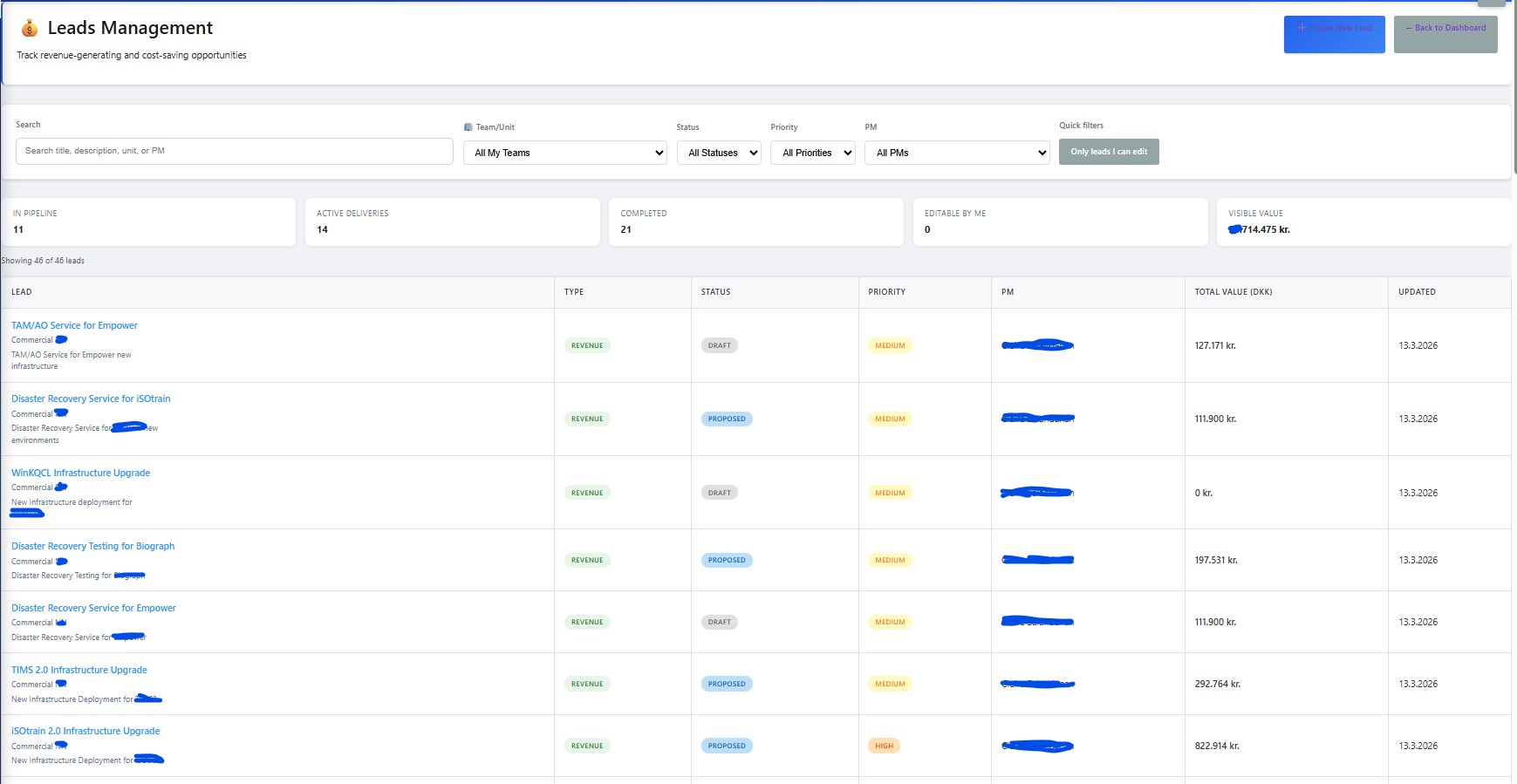
Lead management supports filtering, assignment visibility, status control, and value tracking across revenue and cost-saving opportunities.
Customer and contract management provide searchable administration, lifecycle filters, and structured relationship data rather than ad-hoc spreadsheets and scattered notes.
Analytics and survey modules add broader follow-up capability so the workspace can support decisions, feedback, and future improvement work.
Chapter 02
What teams can do inside BM Workspace
Lead Management
Track leads, statuses, priorities, ownership, potential revenue, and cost savings with filters and quick status updates.
Challenge Management
Log and monitor operational challenges, open items, escalations, and resolution progress from the same environment.
Customer Management
Maintain customer records, contact details, status filters, industry grouping, and dashboard shortcuts for customer-focused follow-up.
Contracts Management
Manage contract records, dates, status, delivery ownership, and revenue context with filtering and quick administration.
Analytics Catalog
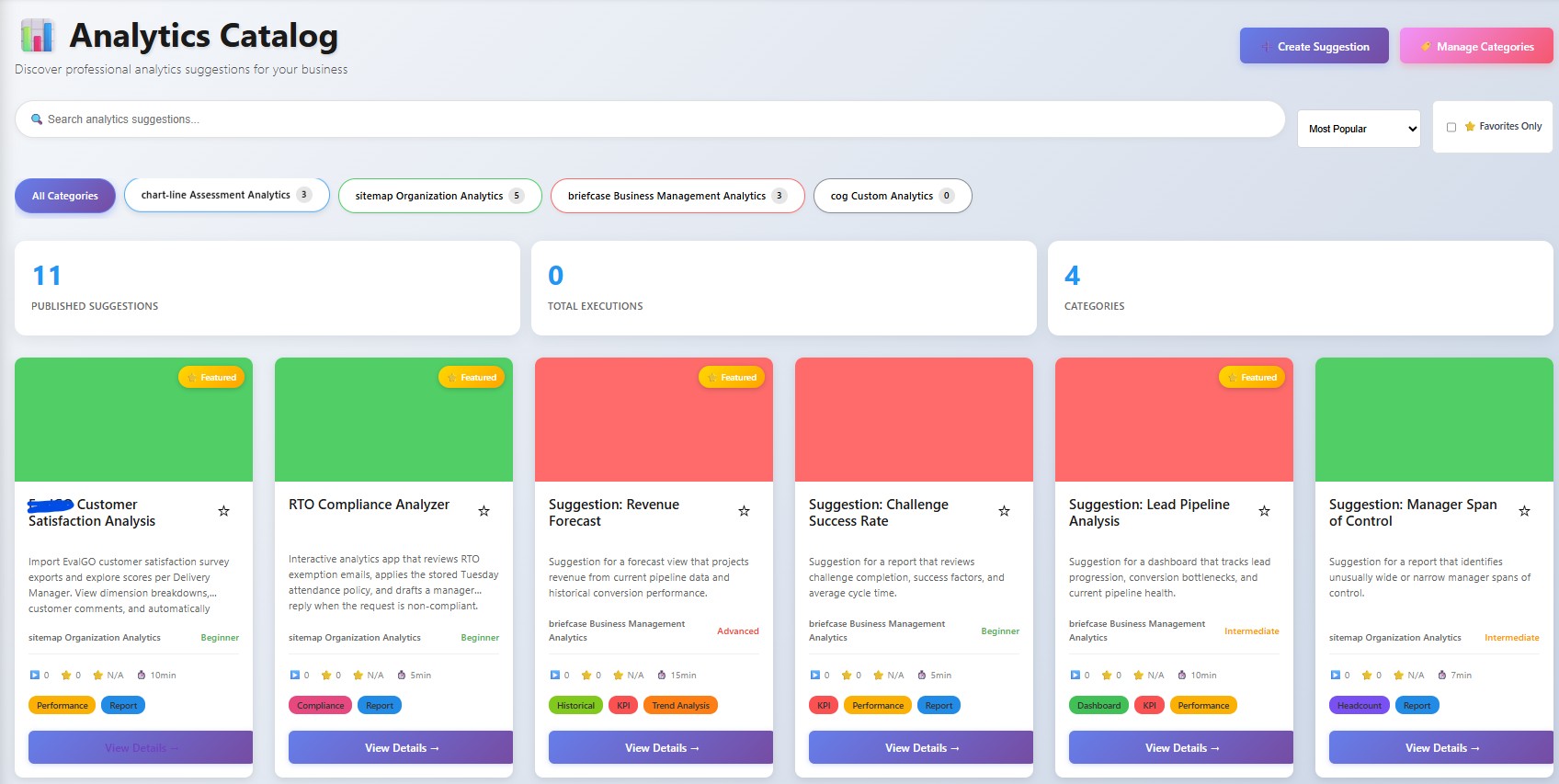
Browse analytics ideas, dashboards, reports, KPIs, favorites, and suggestion flows through a dedicated analytics catalog experience.
Surveys and assessments
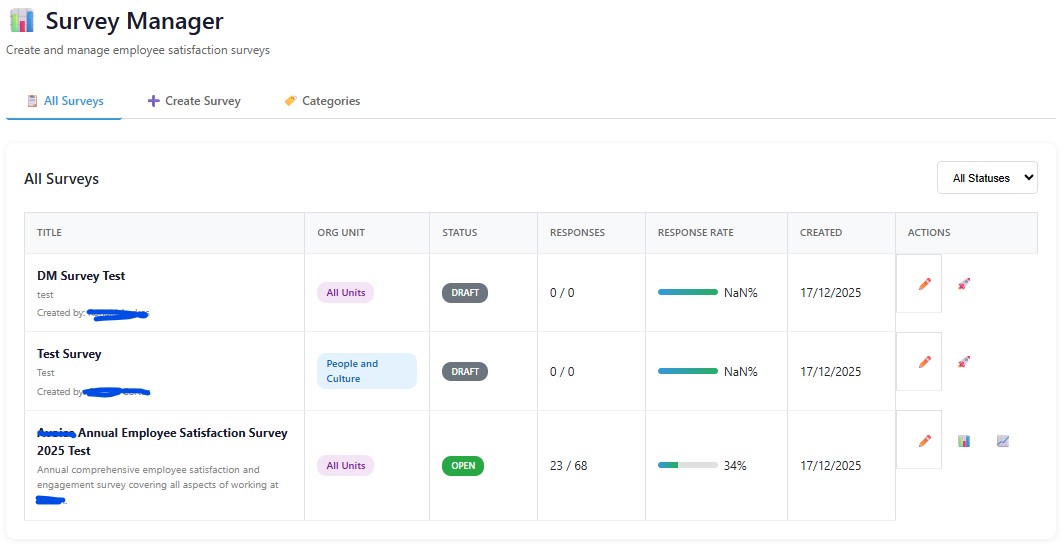
Surface pending surveys in the workspace and connect BM operations to the wider Bisma survey and people-development flows.
Chapter 03
Why it is commercially interesting
It shows that Omnilyzer can build operational software around real management work, not only public-facing marketing pages.
It is broad enough to support demonstrations across multiple business functions while still feeling coherent as one workspace.
It can be positioned as a management cockpit, a structured operations layer, or a business follow-up platform depending on the buyer context.
Because the modules sit in one application family, prospects can see how commercial, operational, analytical, and people workflows can align instead of fragment.
Chapter 04
Product screenshots and walkthrough images
These live BM screenshots show the dashboard, an active management workflow, and the analytics workspace already available in the product.
BM command-centre dashboard
Live screenshot of the BM workspace landing dashboard with lead management, challenge management, and quick actions.
BM active management workflow
Live screenshot of an active BM working view that shows the product as an operational tool rather than a static front page.
BM analytics workspace
Live screenshot of the analytics side of BM, showing that the workspace extends beyond simple list management.
Cookie notice