A closer look at the product
Original product screenshots preserved from the current Omnilyzer website. These are reference images, not a live software demonstration.
EHR
EHR brings manager reviews, employee self-service, development plans, reporting, survey flows, and organization-aware assessment logic into one structured environment for employee development and follow-up.
Why this page matters
EHR
Designed for teams that want clearer employee-development workflows, better follow-up, and more consistent assessment handling across managers, employees, and leadership.
Chapter 01
Executive summary
EHR is best suited to organizations that need assessment quality, follow-through, and development visibility to improve without turning the process into more admin noise.
Managers can run structured 1-1 and review flows across teams and organizational units instead of working through disconnected files.
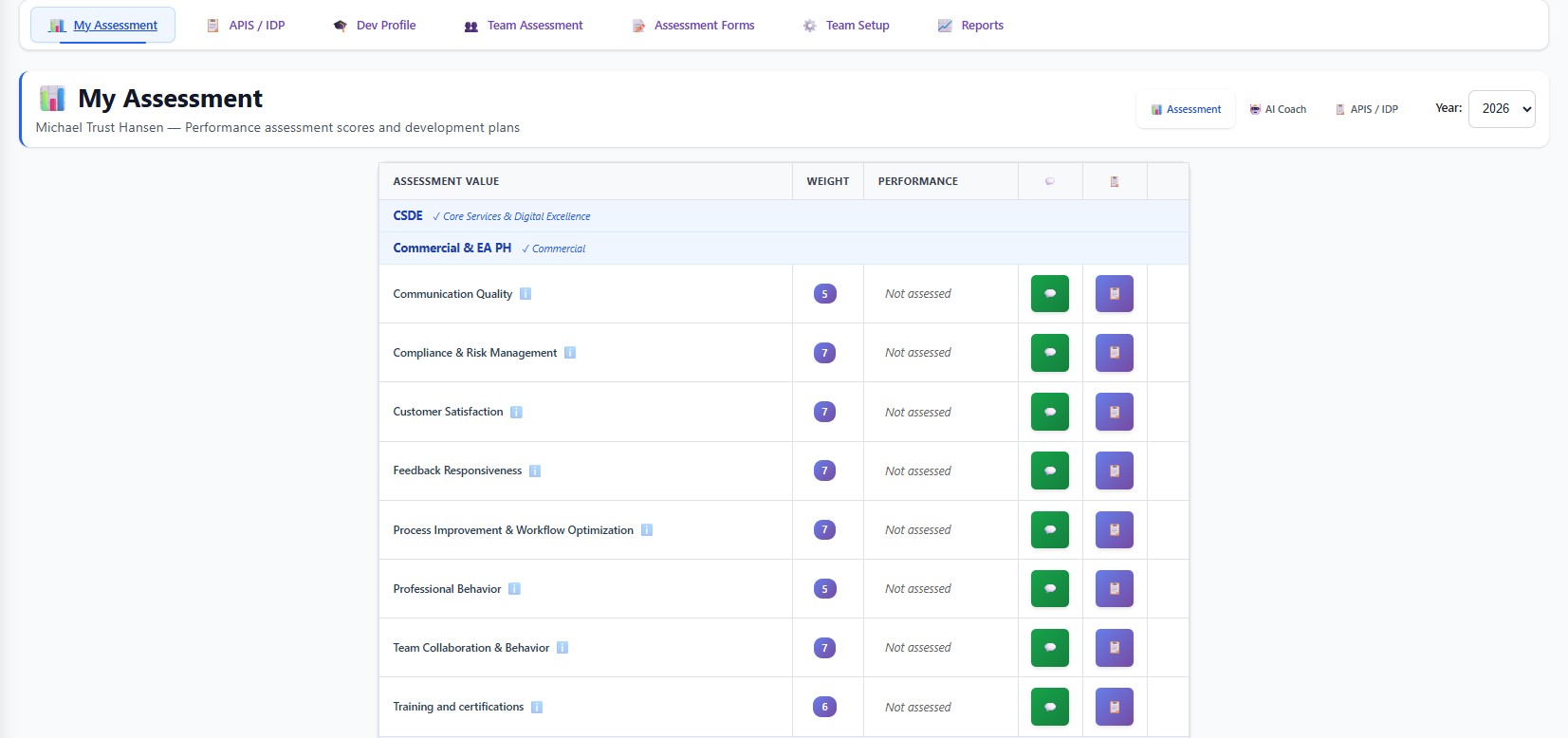
Employees can see their own visible assessment categories, comments, action plans, APIS/IDP content, and development profile information in one place.
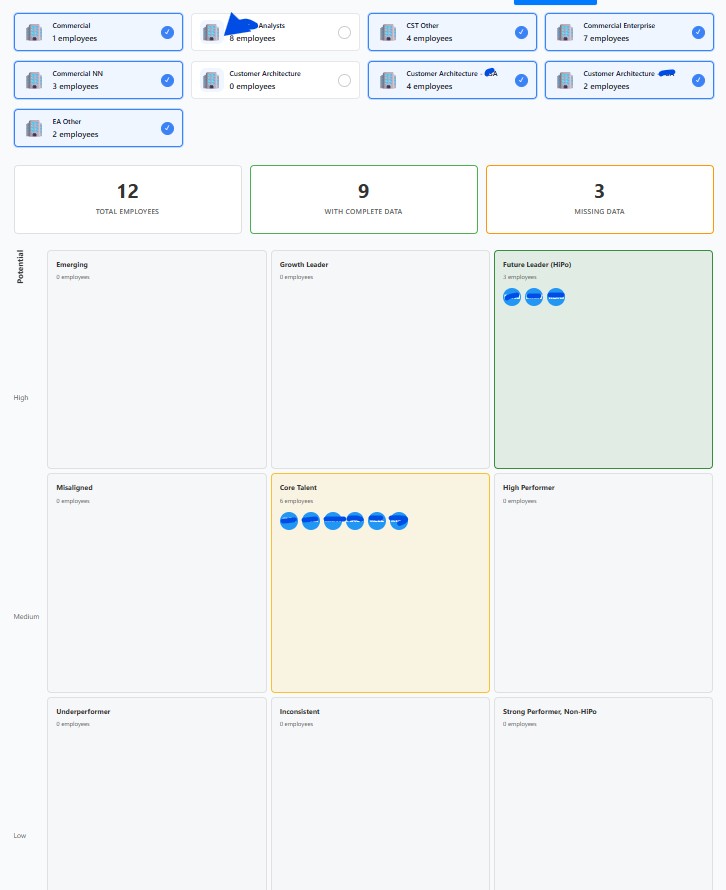
HR and leadership stakeholders get reporting views such as 9-box analysis, performance distribution, completion quality, manager review coverage, calibration support, and succession planning inputs.
The product also includes survey management and survey-response flows that support broader employee feedback and operational follow-up.
Chapter 02
Core product modules already present in the application
Team Assessment
Managers can move from team cards to employee lists to detailed assessment views, with separate meeting-safe and manager-review modes.
My Assessment
Employees can review their own visible categories, comments, action plans, AI recommendations, and APIS/IDP content.
Assessment Forms
Assessment owners can manage categories, values, weighting, visibility, and ordering by organizational unit.
APIS / IDP
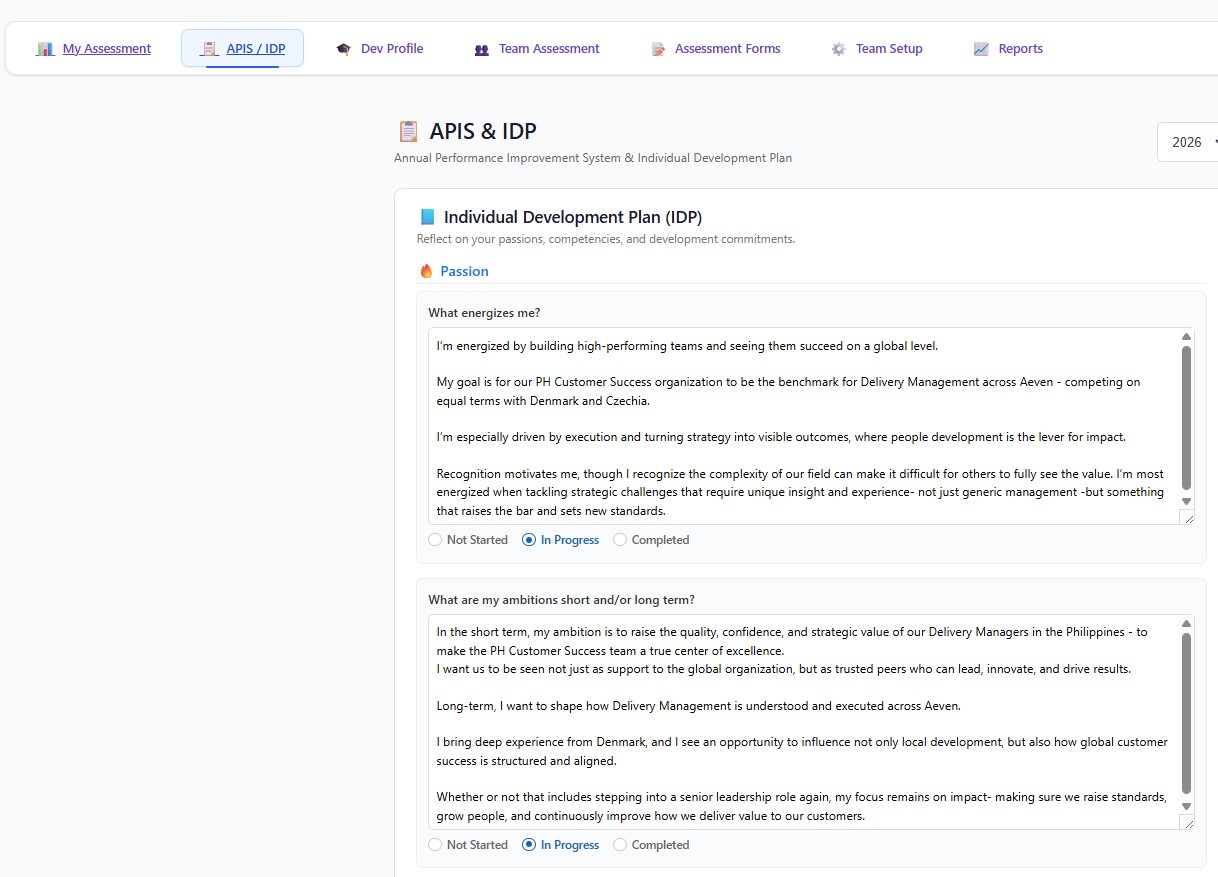
Individual development planning includes IDP entries, business targets, leadership values, and performance-feedback sections with auto-save patterns.
Development Profile
Persistent employee profiles support education, certifications, skills, goals, languages, and development notes across the employee lifecycle.
Assessment Reports
Reporting modules cover 9-box, performance distribution, completion and quality, calibration, manager review coverage, and succession planning.
Chapter 03
Operational control around the people workflows
Organization management supports visual hierarchy handling, matrix relationships, delegation, unit management, and historical change tracking.
Team setup supports assignment by org unit or by assessment form, including drag-and-drop form-to-employee allocation patterns.
Survey management covers survey creation, publishing, templates, categories, analytics, and employee response handling.
Supporting admin, analytics, and oversight capabilities help position EHR as more than a narrow single-screen tool.
Chapter 04
Product screenshots and walkthrough images
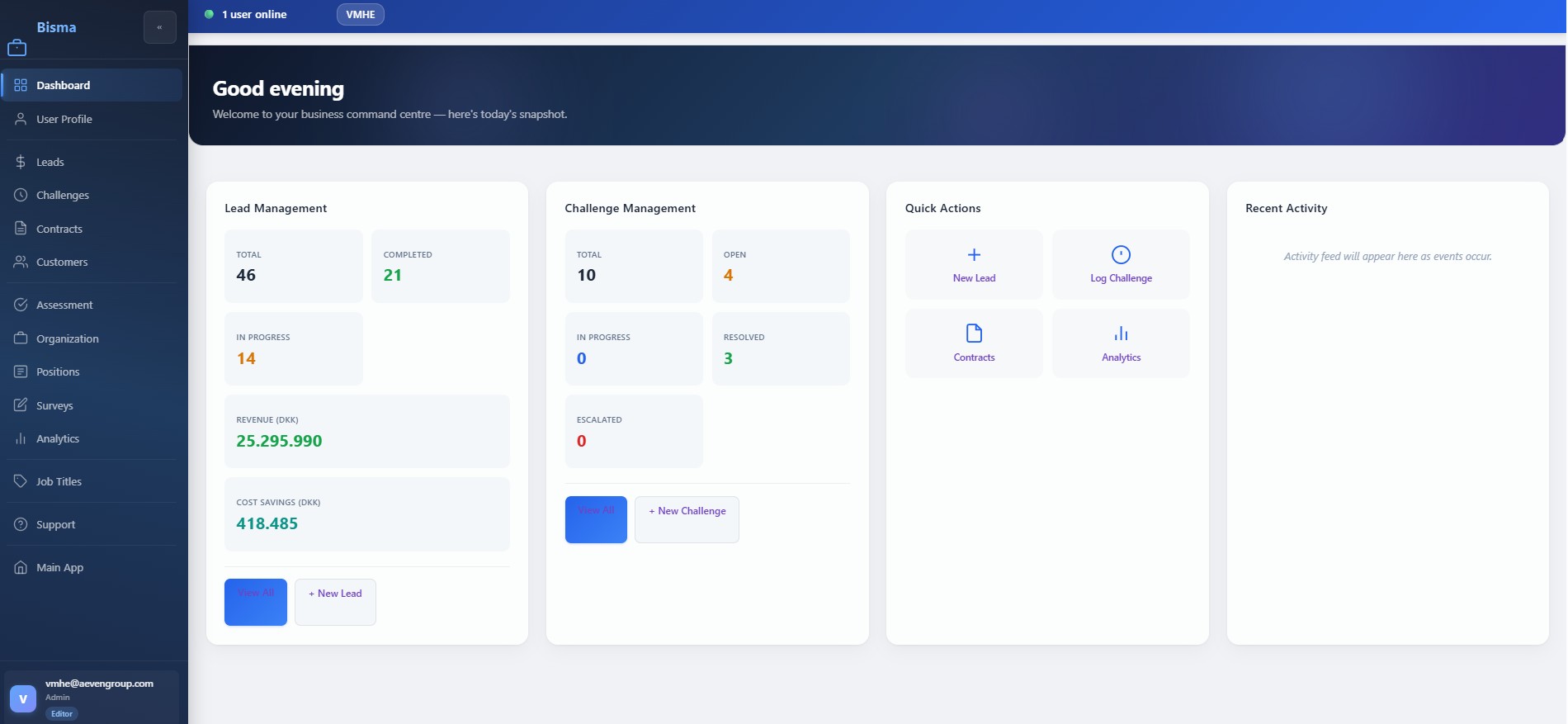
These live EHR screenshots show the assessment, development-plan, and reporting experience already present in the Bisma application.
EHR dashboard or landing state
Live screenshot of the assessment workspace entry point used to orient employees and managers.
My Assessment review view
Live screenshot of the employee self-service assessment view with scoring categories and action controls.
APIS and IDP development plan
Live screenshot of the development-plan flow covering ambitions, commitments, and progress states.
Assessment reporting 9-box view
Live screenshot of the 9-box reporting view used for performance and potential conversations.
Cookie notice